I was hitting this error quite regularly when Claude Code attempted git operations (git add / git checkout / git commit / etc.):
Error: Exit code 128 fatal: Unable to create '/path/to/.git/index.lock': File exists. Another git process seems to be running in this repository, e.g. an editor opened by 'git commit'. Please make sure all processes are terminated then try again. If it still fails, a git process may have crashed in this repository earlier: remove the file manually to continue.
Claude is very determined, so would attempt to work around it by removing the file, waiting, and then trying the process again. And then try other variants until it finally succeeded. This was super slow and annoying. Disk space, which is a common culprit, was not the problem. And I couldn’t find any other obvious causes, so I lived with it for a while.
Eventually, Claude hinted at a background process running git status that could be blocking things. I realized that my Claude statusline script was at fault (a git status call in my statusline refresh was setting a lock and blocking other git operations.)
If you run into the same issue, you can set this env var as part of your statusline script to avoid this: GIT_OPTIONAL_LOCKS = 0 (git docs)
“So, let’s get you started by having you review this code sent in by a client!”
— Team Lead
Thrown right in and ~50% of my job for 3 years.
* after completing Automattic’s standard support rotation
I learned three things.
Lesson #1
Reviewing someone’s code is really scary!
Lesson #2
Getting your code reviewed is really scary!
Lesson #3
Extremely rewarding!
[P]eer code reviews are the single biggest thing you can do to improve your code. If you’re not doing code reviews right now with another developer, you’re missing a lot of bugs in your code and cheating yourself out of some key professional development opportunities. As far as I’m concerned, my code isn’t done until I’ve gone over it with a fellow developer.
— Jeff Atwood
— http://codinghorror.com
Common Excuses
– We pay our developers a lot of money. They should be writing perfect code. The need to review code means it’s not perfect. Imperfect code means we’re not getting our money’s worth.
– We don’t have time.
– It’s not my feature!
“the average [defect detection] effectiveness [rate] of design and code inspections are 55 and 60 percent.”
— Steve McConnell (Book: “Code Complete”)
Compared with 25-45% for various forms of testing.
Warning: code review can be damaging if not done carefully.
Effective Code Review is a part of the development process and the culture of the organization, not just an afterthought.
Effective Code Review needs buy-in from everyone involved.
We always get push-back from developers working on the VIP platform.
Effective Code Review sets goals
Goals: Take Your Pick
– Learning other perspectives
– Becoming a better developer
– Becoming a better communicator
Goals: Take Your Pick
– Better Code Quality!
– Have at least one other person look at the code.
– Have fun!
Have established rules, standards, and process
Even if it’s no rules, standards, and processes.
Should define: what is the scope of the review? What types of things are we looking for? How will the process works. And communicate that with the team
What does a code review entail?
Looking over code to find potential issues or areas for improvement.
Bugs | Best Practices | Design Patterns | Faulty Logic | Confusing Flows | Opportunities for code reuse | Lack of standards/style | etc.
Culture, environment and workflow will change how you adopt it.
Code Review for Individuals
It doesn’t have to be lonely.
Individuals: DIY
– Do what (some) professional writers do!
– Write/Code in the morning => lunch => Edit/Review in the afternoon
– Freewriting?
Individuals: Find a buddy
– Open Source? Find volunteers at meetups/local community/IRC/Twitter.
– Closed source? Find another freelancer and trade.
Individuals: Offer reviews
Review open pull requests on GitHub (send messages to the PR author if you don’t want to ask or discuss publicly).
(May want to be familiar with topic or code in some form before jumping in otherwise start privately.)
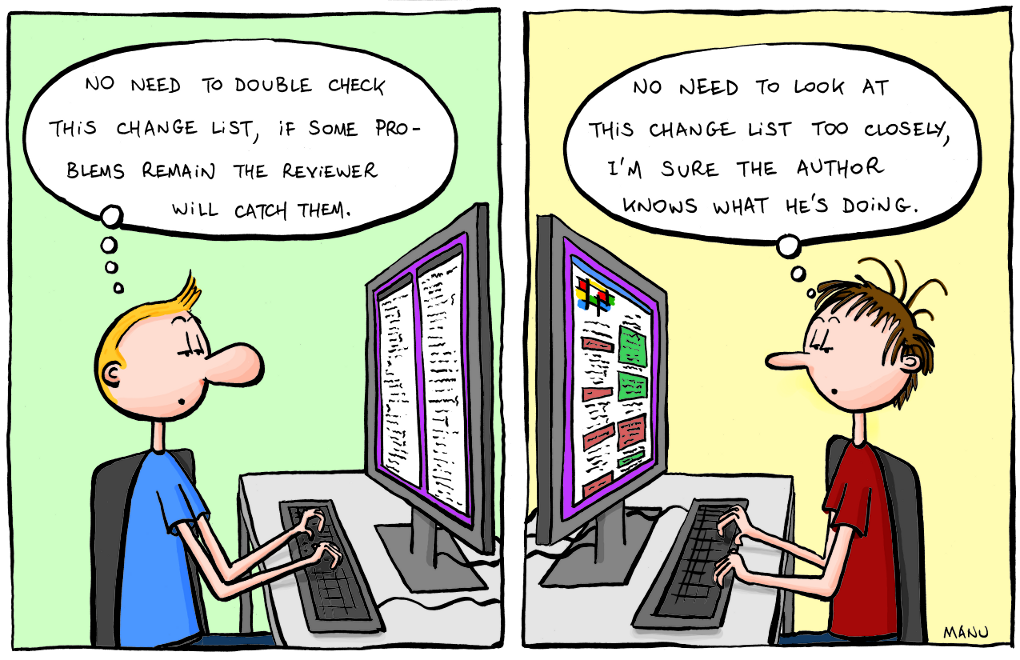
It’s not a competition about how many mistakes you can find. Or who is a better developer.
Nope.
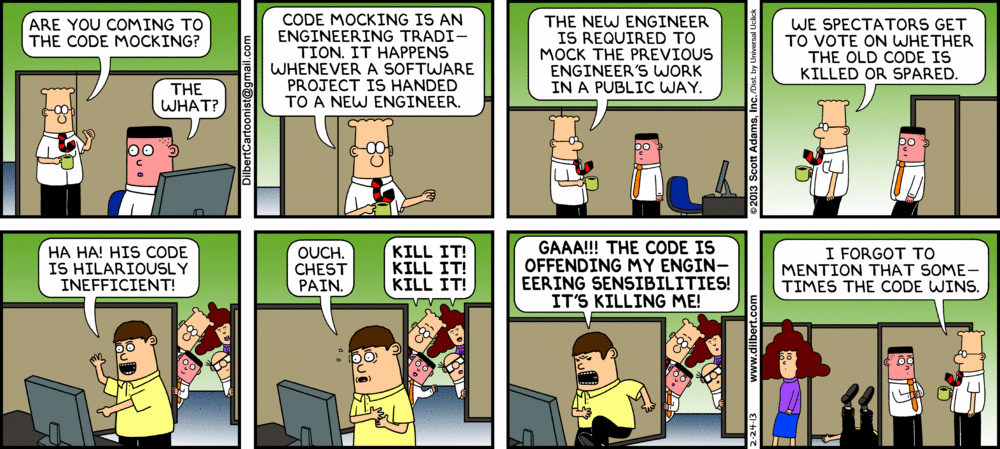
I’ve been programming for n years. I don’t need someone else to tell me what’s wrong with my code.
I’ve been programming for n years. I can point out all the things wrong with someone’s code without ever looking at it.
Don’t make it personal
Reviewers: The fault doesn’t lie in the developer; it lies in the code.
Reviewees: don’t get defensive about feedback you receive about the code. Fix your mistakes and learn from them.
Remember the goals of the code review: learning and making the code better.
Caveat: If the mistakes are continually repeated in future code, then it’s a problem.
Reviewees: you can only fool your reviewer once. Accept your mistakes, but work to prevent them in the future.
Communication is everything!
How you convey your feedback and discuss the code will help ensure an egoless and effective review
Communication Tip #1
No personal pronouns in feedback.
Bad
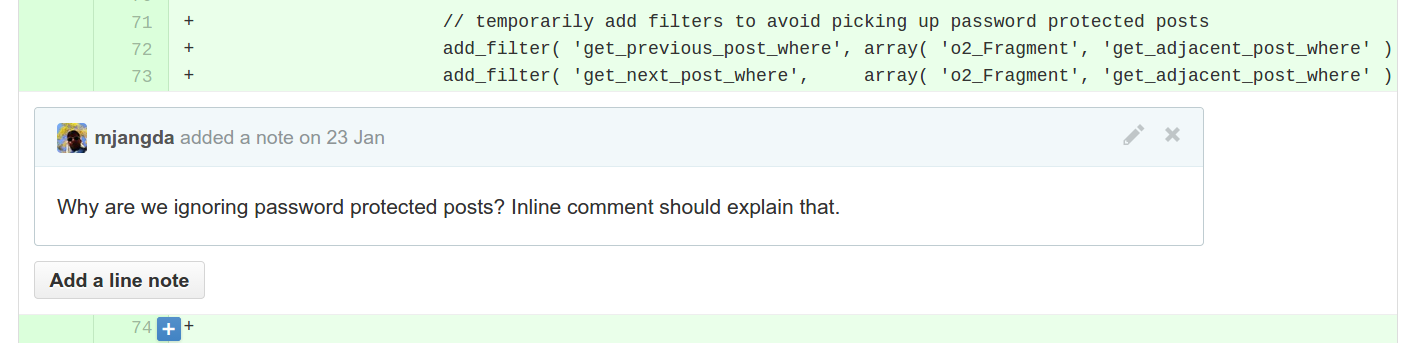
path-to-file.php@8237#L786
Why are you not sanitizing your GET value here? You should go through your code again and properly sanitize all instances where you’re interacting with remote data.
Translation
path-to-file.php@8237#L786
You! Yes, You! I’m talking to you! You suck!
Good
path-to-file.php@8237#L786
We should sanitize the GET value here per best practices. Any reason not to? There may other instances where we should take a closer look as well.
Bonus Protip
Wherever you’re inclined to use a pronoun, replace it with “the code” or a coding concept (variable/class/etc.)
“You should be…” => “The code should be…”
Communication Tip #2
Avoid the use of “but”; prefer “and” or no conjunction instead to maintain an air of positivity.
The overall logic is great but the function could use some refactoring.
vs.
The overall logic is great. The function could use some refactoring, though.
Reviewees: optimize for code review; write your best code because you know someone will critique it (i.e. so make it good)
Reviewers: Be critical; ask questions about decisions that were made.
Safe space to ask questions
– Reviewers are okay to ask about code they do not understand. Opinions are okay as well, although, better phrased as question as a means of discussion.
– Reviewees can ask questions ahead of time about things they are unsure of. This can be provide a good starting point for the review.
Avoid Pedantics
Avoid Pedantics
Don’t get too caught up in minor details but make sure development best practices and coding standards are being followed.
Automate code style/standards issues, if possible.
Avoid too much emphasis on small patches vs big ones.
Ask a programmer to review 10 lines of code, he'll find 10 issues. Ask him to do 500 lines and he'll say it looks good.
Code review is not going to catch everything. Bugs are inevitable.
Think Positive!
Reviewers: Remember to praise good code and incremental improvements.
Reviewees: Remember to say thank you!
Have fun!
Jokes + GIFs + Emoticons
In Closing
Takes a while to learn the rules. You will forget to follow them. You will fall out of the code review habit. You will hate yourself and your coworkers and peers. But you will become better.
And it will pay off.
Want a cool job?
Automattic is hiring code reviewers, developers (PHP/javascript/node/go/whatever), Happiness Engineers, and more!
Work from anywhere! Unlimited vacations! Cool swag!
Percentage of top 10 million sites on the web that use WordPress
(up from ~18% last year)
(~29% of all new websites)
Some of the biggest names in media, business, and government
New York Post
TIME.com
Quartz
Re/code
New York Times, Tribune Broadcasting, LIN Media, CBS Local, Conde Nast, ESPN, Grantland, FiveThirtyEight, Cox Media, EW, Cute Overload, TechCrunch, TheNextWeb, a16z, Grist, The Bloggess, Indian Express, USA Today, Stylecaster, BlackBerry, Post Secret, Harvard Business Review, Radar Online, Next Draft, Optus, NASA, and many more.
It’s hip to be WordPress
But do you really know and use WordPress to its potential?
Most Important: Stay Secure
– Keep your WordPress updated
– Use a strong password (or a Password Manager)
– User two-factor authentication
– Make sure your team does the same!
Structured Data
WordPress is a semantic publishing platform.
Custom Post Types
A custom post type is nothing more than a regular post with a different MARKDOWN_HASH01b0357bbb461420eb0aced7e3c2fcb9MARKDOWN_HASH value in the database. The post type of regular posts is post, pages use page, attachments use attachment and so on. You can now create your own to indicate the type of content created. You could create custom post types for books, movies, reviews, products, and so on.
WordPress’ custom taxonomies make it possible to structure large amounts of content in a logical, well-organized way. In WordPress, categories are set up as a hierarchal taxonomy, and tags are set up as a multifaceted taxonomy […] A large news organization could organize its content by world region (Africa, Asia, Europe, Latin America, Middle East, US & Canada), as the BBC does in its “World” section.
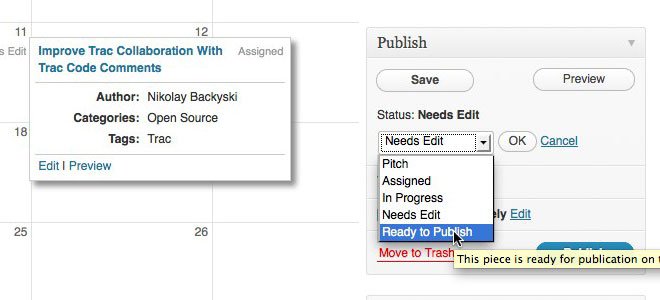
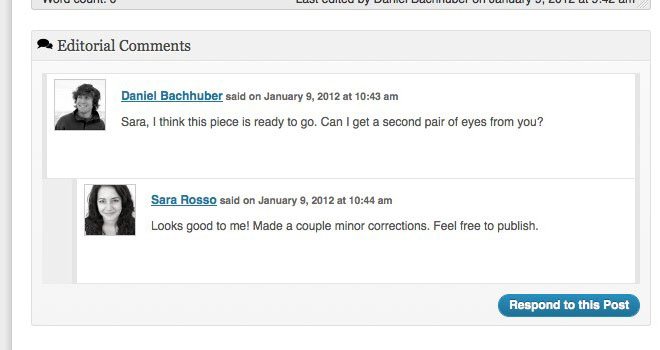
Edit Flow gives you custom statuses, a calendar, editorial comments, and more, all to make it much easier for your team to collaborate within WordPress.
Edit Flow: Calendar
A convenient month-by-month look at your content
Edit Flow: Custom Statuses
Define the key stages to your workflow.
Edit Flow: Editorial Comments
Threaded commenting in the admin for private discussion between writers and editors
Edit Flow: Everything Else
Notifications – Receive timely updates on the content you’re following.
User Groups – Keep your users organized by department or function.
– Because it’s interesting :)
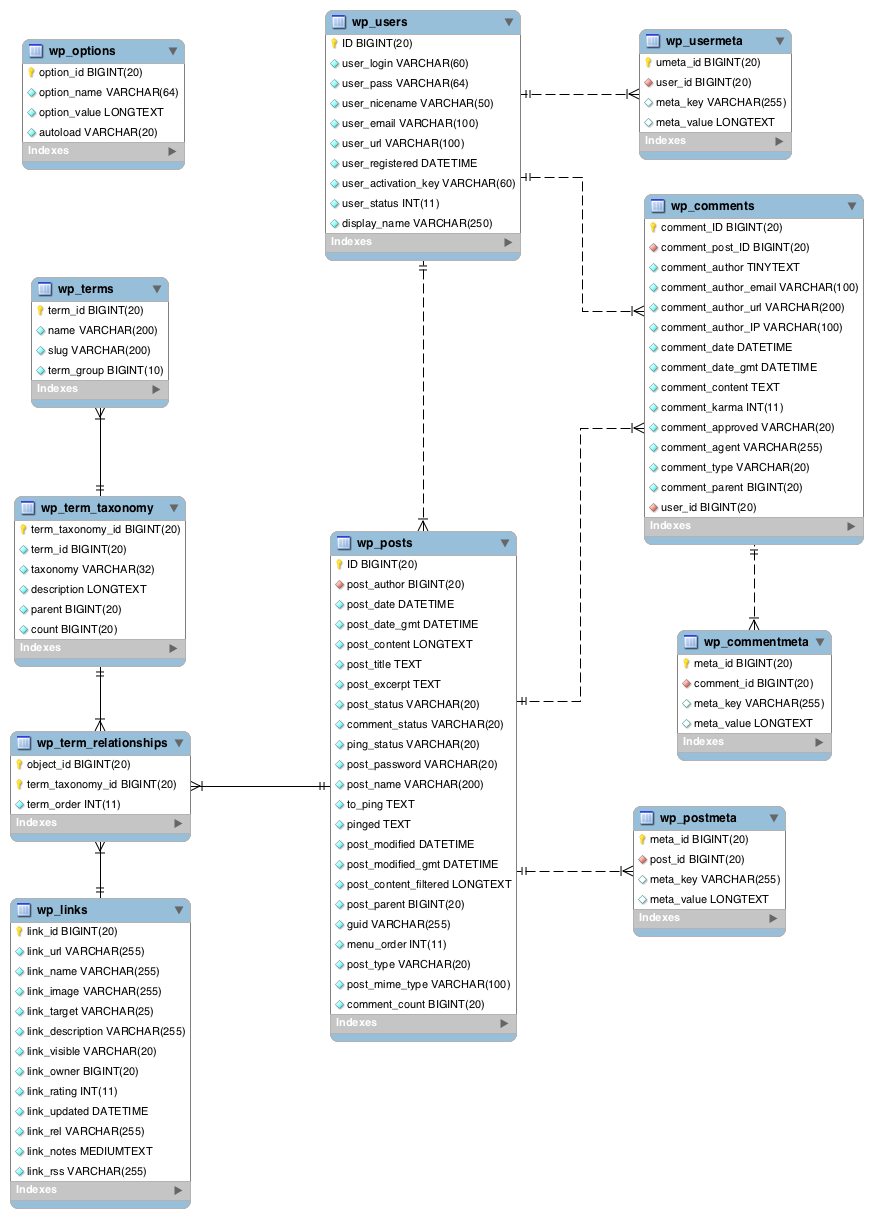
– Important to understand the underlying architecture of the system
– Easier to debug problems and understand changes and new features
– Can help solve interesting problems
Core Structure
Core Structure
– Single-site: 11 base tables
– Multisite: 17 base tables
=== 9 additional tables for every new blog
=== 500 million tables on WordPress.com
Core Structure
– Hybrid entity/object-oriented and key-value store (posts + meta)
– Some normalization of the schema (terms)
– Unique IDs (primary key) for each entity within a table
wp_{object}s tables
Main tables are modelled after the object they are storing:
– wp_posts
– wp_comments
– wp_users
wp_{object}meta tables
Each object type has a key-value meta store:
– wp_postmeta
– wp_usermeta
– wp_commentmeta
Consistency across these tables allows for a common metadata API
key-value store
A bit like an associative array, in table form. Values relating to objects are identified by a key.
(“NoSQL”)
key-value store
– post_id: 123
– key: _thumbnail_id
– value: 456
key can any valid varchar(255); value can be any primitive or serializable object.
wp_term(s|taxonomy|taxonomy_relationships)
– Terms are handled very differently via three tables
– Somewhat messy and the source of many frustrations
Table: options
Similar key-value store to meta but only one object (blog) and no matching table for that object
Table: options
option_id [bigint(20)]
option_name [varchar(64)]
option_value [longtext]
autoload [varchar(20)]
SELECT * FROM wp_options WHERE autoload = ‘yes’
// get_option( ‘cookies’ )
SELECT * FROM wp_options WHERE option_name = ‘cookies’
SELECT wp_43654959_term_taxonomy.term_id
FROM wp_43654959_term_taxonomy
INNER JOIN wp_43654959_terms USING (term_id)
WHERE taxonomy = ‘category’
AND wp_43654959_terms.slug IN (‘stuff’)
SELECT t.*, tt.* FROM wp_43654959_terms AS t INNER JOIN wp_43654959_term_taxonomy AS tt ON t.term_id = tt.term_id WHERE tt.taxonomy = ‘category’ AND t.slug = ‘stuff’ LIMIT 1
SELECT SQL_CALC_FOUND_ROWS wp_43654959_posts.ID FROM wp_43654959_posts INNER JOIN wp_43654959_term_relationships ON (wp_43654959_posts.ID = wp_43654959_term_relationships.object_id) WHERE 1=1 AND ( wp_43654959_term_relationships.term_taxonomy_id IN (1) ) AND wp_43654959_posts.post_type = ‘post’ AND (wp_43654959_posts.post_status = ‘publish’ OR wp_43654959_posts.post_status = ‘private’) GROUP BY wp_43654959_posts.ID ORDER BY wp_43654959_posts.post_date DESC LIMIT 0, 10; SELECT FOUND_ROWS()
Custom database tables through plugins and themes are discouraged
– The schema was designed to be extremely flexible
– Not always perfect (e.g. post2post) but can accommodate a huge number of use cases
– But, tools available if your use case requires them (e.g. dbDelta)
Pitfalls & Opportunities
Pitfalls: Slow/Complex queries
– WP_Query is very powerful; you can do some insane lookups
– At scale, these insane lookups can break your site
– If you’re not careful, these insane lookups can break the site even with very little traffic
Pitfalls: Slow/Complex queries
– Non-indexed or expensive queries can be a problem
– The structure of the taxonomy system lends itself to slow queries
– meta_key- or meta_value-based queries on a really large tables are slow
Pitfalls: Schemaless Meta
– Some might argue that the flexible schema leads to bad application/site design
– Others also argue that less thought put into how meta will be used
Opportunity: Consistency
– Know what exactly to expect between installs
– Your WordPress is the same as my WordPress
Opportunity: Flexibility
– Custom post types!
– Any manner of object can be stored as custom “posts”
– Keyed off the “post_type” column
Opportunity: Flexibility
– wp_term_relationships does not have a strict definition of what an object_id is
– Used for both posts and links!
– Could technically use for users as well
– Machine-generated objects as post_types
=== Redirects via WP.com Legacy Redirector
=== DNS records on WordPress.com
=== Sitemaps in Comprehensive Sitemaps
– Liveblog entries as comments
=== Completely custom UI for interacting with data
=== All abstracted into its own API (and using the WordPress API) to map data to database fields (WPCOM_Liveblog_Entry, WPCOM_Liveblog_Entry_Query)
– The schema provides a good object model + key-value store for data
– It is extremely flexible and powerful
– Not something you should really have to worry about or deal with
– It can present problems if we are not careful
– It can reward us very well if we use it as it was intended to be
Hosted platform for running blogs, sites, etc. using WordPress.
Big multisite network.
What is VIP?
WordPress hosting and services for big companies (CNN, TIME, ESPN, CBS, TechCrunch, Williams, etc.)
A VIP site on WordPress.com is the same as a free site, except with some custom code a bit of magic sauce.
The VIP team works with external developers providing code review, developer support, etc.
Fancy Numbers
54 million sites
62 million users
30 million posts (per month)
13 billion pageviews / 400 uniques (per month)
500 million MySQL tables
2500 servers
3+ DCs
How Many Deploys?
Yesterday: 259
VIP: 165 WP.com: 75 Other: 19
How is code deployed on WordPress.com?
Production servers run trunk
– Commit changes to trunk
– Run deploy script
– Deploy script syncs svn mirrors across DCSs and runs `svn up` on all servers
$ deploy wpcom

Going to update from 93786 to 93787 for /public_html/

Syncing wpcom SVN Mirrors

	DFW (1s)...

	IAD (2s)...

	SAT (2s)...

Deploying wpcom  revision 93787

Deploying to static webs

	SAT (1s)...

	IAD (1s)...

	DFW (1s)...

Deploying to dynamic webs

	DFW (5s)...

	IAD (7s)...

	SAT (9s)...
What about VIPs?
Similar to WordPress.com except:
– Code comes from external developers
– Deploy done internally
– We only push the particular folder (code changes are limited to the “theme”)
VIP Numbers
5 Software Engineers; 1 Happiness Engineer; other biz people
7m lines of code (on top of WP.com codebase)
1000s of sites
~100 active developers
Over 140K commits (currently r140321)
70K deploys all time
Avg deploy time (commit => review => deploy): 130 minutes
Challenges
– External developers writing PHP, HTML, and JS so anything is fair game
– Issues on one site can spill over to another (also helps with scaling)
Challenge: Code Review is hard and time-consuming! Blocks business needs!
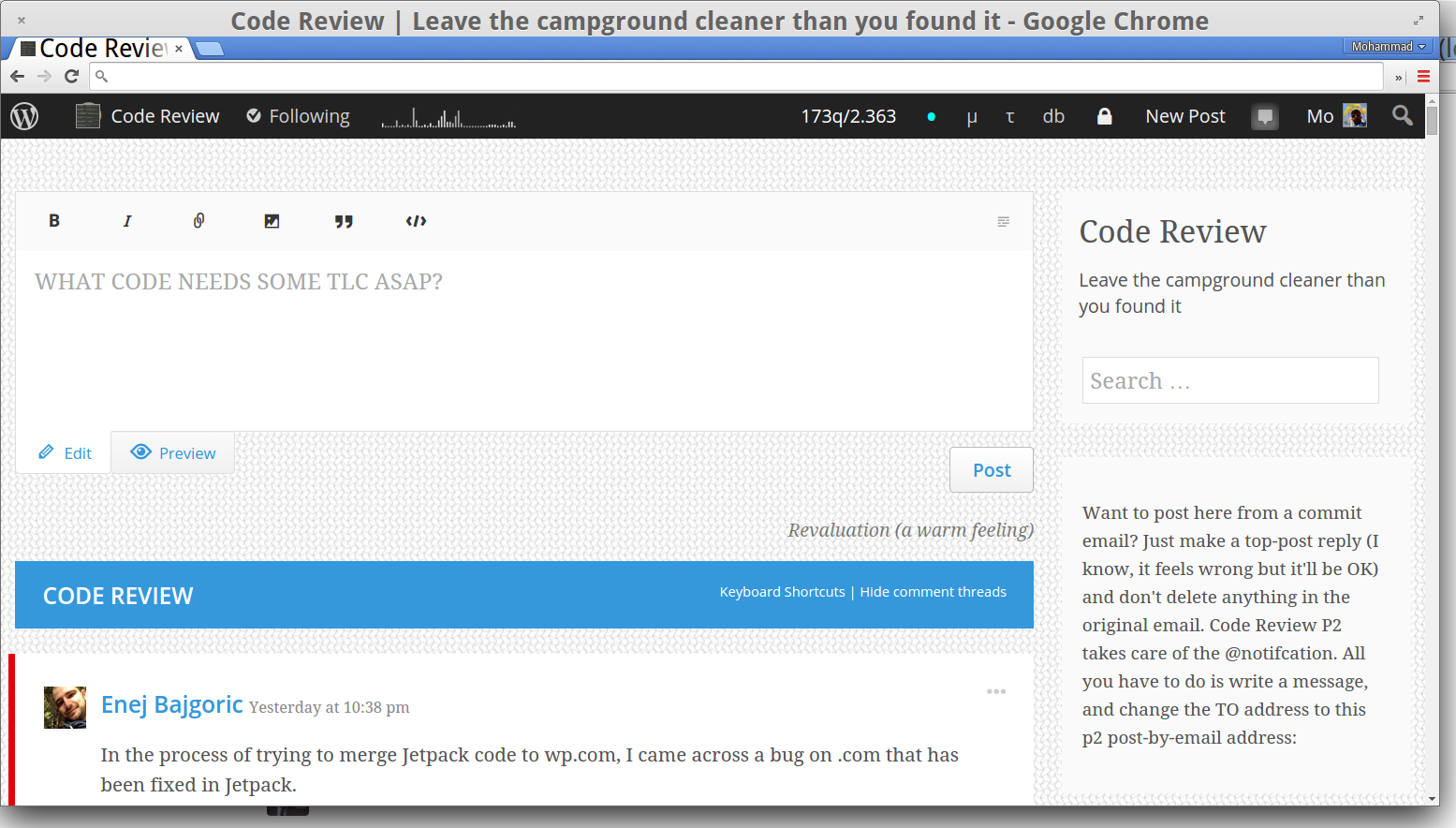
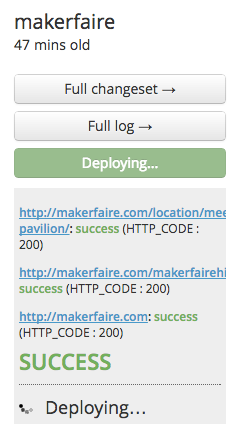
Deploy Page
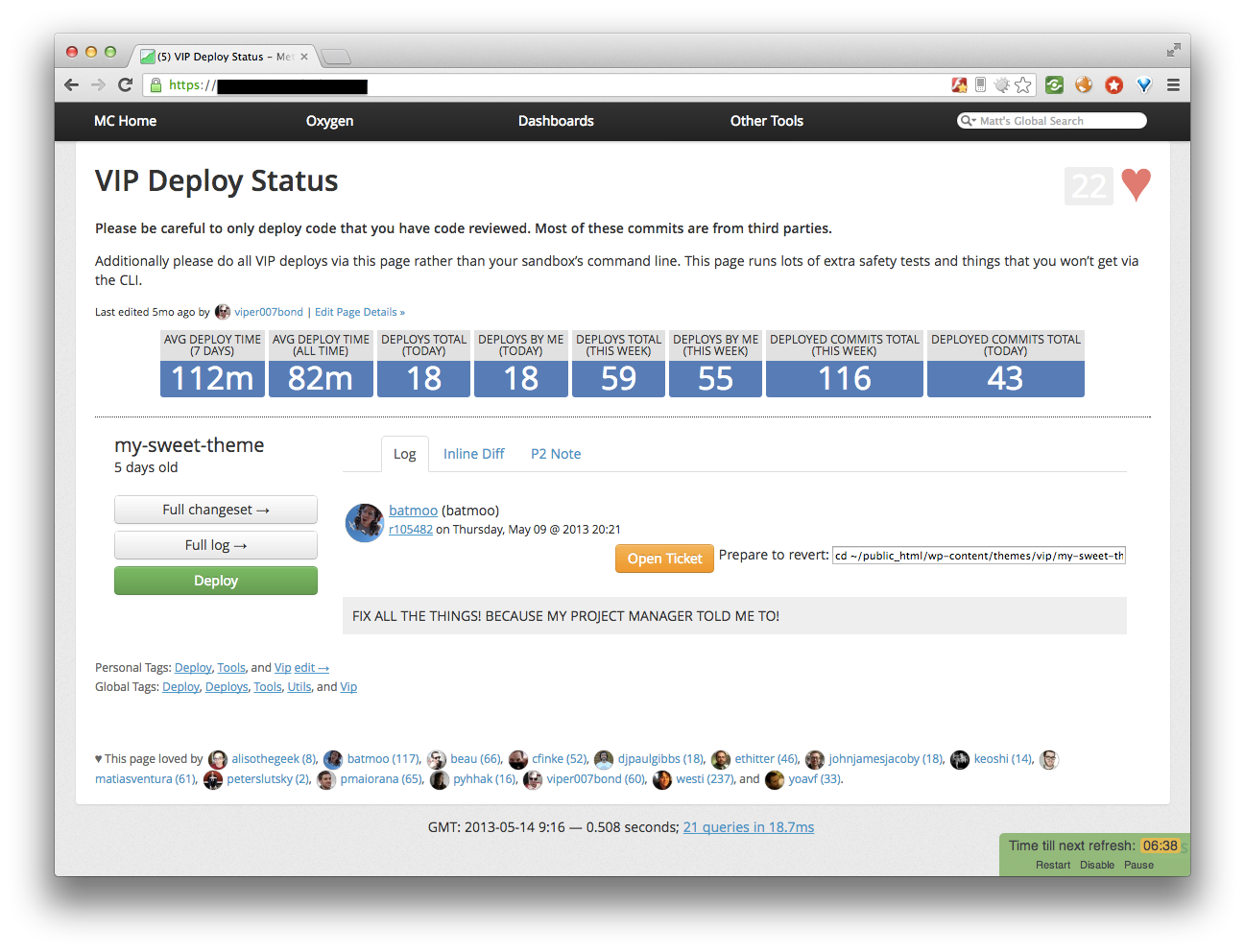
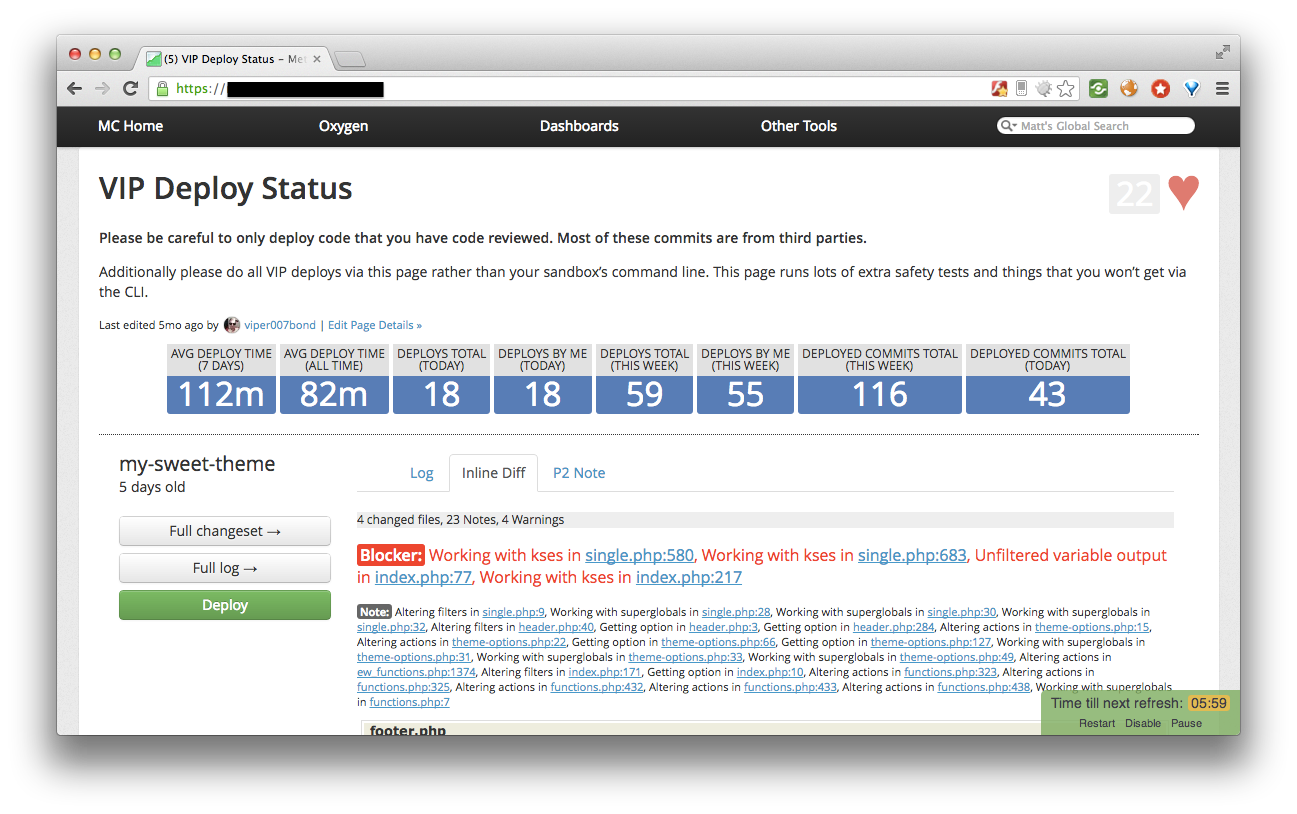
– custom built tool to optimize review process
– Used to track pending commits, review changes, and deploy
– Can send feedback on issues, alert rest of team when issues spotted
– Handy revert commands!
– “real-time”
Pre-Deploy Tests
Run when deploy button is pressed.
Loads up the site against a sandbox server in production with live database (crazy!) and latest code.
Static Analysis
Using custom scanning tools + PHP Code Sniffer to catch things like restricted functions, bad coding patterns/practices, etc.
Coming soon: post-commit tests
Using Jenkins to run tests immediately after commit, instead of on-demand using Sandbox server in production.
Other Tools
– Reference Page with handy revert commands
– IRC Channel piping PHP and MySQL errors from 2 servers
– IRC alerts for internal commit and deploy notifications
– Email and webhooks for external commit and deploy notifications
Future: Scaling
– More developers and automation
– Externally initiated deploys and post-deploy reviews
This slideshow could not be started. Try refreshing the page or viewing it in another browser.
Caching; For Fun & Profit
Understanding different caching tools and techniques available to WordPress developers such as the Transient and Object Caching APIs and how/why they can make or break your site.
This is the API WordPress uses and makes available to developers:
/**
 * Retrieves the cache contents from the cache by key and group.
 *
 * @param int|string $key What the contents in the cache are called
 * @param string $group Where the cache contents are grouped
 *
 * @return bool|mixed False on failure to retrieve contents or the cache
 *              contents on success
 */
function wp_cache_get( $key, $group = '' ) {
Object Caching API
/**
 * Saves the data to the cache.
 *
 * @param int|string $key What to call the contents in the cache
 * @param mixed $data The contents to store in the cache
 * @param string $group Where to group the cache contents
 * @param int $expire When to expire the cache contents
 *
 * @return bool False on failure, true on success
 */
function wp_cache_set( $key, $data, $group = '', $expire = 0 ) {
Object Caching API
/**
 * Adds data to the cache, if the cache key doesn't already exist.
 *
 * @param int|string $key The cache key to use for retrieval later
 * @param mixed $data The data to add to the cache store
 * @param string $group The group to add the cache to
 * @param int $expire When the cache data should be expired
 *
 * @return bool False if cache key and group already exist, true on success
 */
function wp_cache_add( $key, $data, $group = '', $expire = 0 ) {
Object Caching API
/**
 * Removes the cache contents matching key and group.
 *
 * @param int|string $key What the contents in the cache are called
 * @param string $group Where the cache contents are grouped
 * @return bool True on successful removal, false on failure
 */
function wp_cache_delete( $key, $group = '' ) {
Difference between wp_cache_add and wp_cache_set?
If the value already exists, add will bail; set will override.
A few other intricacies as well, although, don’t worry about them unless you’re building really big sites.
The Cache Loop: In Action!
// First, check to see if the value is in the cache
$featured_posts = wp_cache_get( 'my-featured-posts' );

// Did we find it?
if ( false === $featured_posts ) {
    // Nope! Let's generate and cache it!
    $featured_posts = get_posts( array( 'post__in'  => get_option( 'sticky_posts' ) ) );
    wp_cache_set( 'my-featured-posts', $featured_posts );
}

// Cool, now we have our value; let's use it!
foreach ( $featured_posts as $post ) {
...
Warning: Careful with the false and error conditions!
You should account for those or be prepared for pain during failures.
This will retain objects in cache across pageloads, so you don’t need to hit the database again.
There are other caching backends as well like APC.
If you don’t have access to object cache…
Transients
If you’re a plugin/theme author, there’s no guarantee of the environment your users are in and whether persistent object caching is available.
WordPress Transients API helps you cache things without needed a caching backend.
Transients
The data:
a) persists across pageloads; and
b) expires after a set period of time (hence the name).
Useful for things like remote data or data that you know has a limited time span.
The Transients API
function get_transient( $transient ) {}

function set_transient( $transient, $value, $expiration ) {}

function delete_transient( $transient ) {}
The Cache Loop: In Action!
// First, check to see if the value is in the cache
$remote_data = get_transient( 'my-remote-data' );

// Did we find it?
if ( false === $remote_data ) {
    // Nope! Let's fetch and cache it!
    $response = wp_remote_get( 'http://foo.com/file.txt' );
    $remote_data = json_decode( wp_remote_retrieve_body( $response ) );
    set_transient( 'my-remote-data', $remote_data );
}

// Cool, now we have our value; let's use it!
foreach ( (array) $remote_data as $tweet ) {
...
Warning: Don’t overuse transients
* they’re stored in the options table and can bloat; and
* they require database calls to fetch.
Famous Last Words
“Oh, don’t worry. I’ll just put it in cache/transient…”
I worry. A lot.
Caching helps but…
You need to be smart about and understand what your application is doing.
A slow query will always be slow regardless of how many layers of caching you add around it.
Cache Stampedes Will Break You
Cache stampede: when a load of requests in succession kick of the same expensive process because all of them hit an empty cache on or around the same time.
Too many lumberjacks chopping the same wood
Cache Stampede: Solutions
Locking: Prevent the pileup
Async: Separate the cache generation process
…OR FIX (REMOVE) THE DAMN THING!
The Uncached (“cold cache”) Pageload
Optimize for the worst case scenario: aim for the best by optimizing for the worst (although, within realistic means).
Uncached pageloads should be as slim as possible.
The Uncached (“cold cache”) Pageload
Technique: Kill your object cache and examine load time patterns on a few different types of pages:
homepage
category
single
404
any special or complex templates
Examine the Uncached Pageload
What’s the load time like?
If it times out, that’s a red flag.
If the pageload time is inconsistent, that’s a red flag.
If the pageload time is unusually high, that’s a red flag.
Summary
Caching in WordPress is “easy”: many things built-in; many ways to do it
Understanding the intricacies of who, what, when, where to cache is hard!
There’s a lot more to caching than I’ve covered here!
If used well, caching will help keep your site alive, fast, and $$$!