This slideshow could not be started. Try refreshing the page or viewing it in another browser.
How to think and work like a VIP Developer

About me: Mohammad (Mo) Jangda
[email protected] | [email protected] | @mjangda
- Toronto, ON
- Code Wrangler at WordPress.com VIP (Automattic)
- Core Contributor to WordPress
- Ice Cream Fan
Warning: #humblebrag
Please also excuse my terrible attempts at humour.
How Does VIP Work?
Automattic: Hosting & Support; Code Architecture and Review; Troubleshooting; Best Practices; Upgrades; etc.
Client or Partner: Editorial & Content; Development; Maintenance; etc.
There are a few simple formulas when it comes to scalability…
Big site + Lots of traffic
=
:(
Big site + Lots of traffic
+ Good infrastructure
=
:)
Big site + Lots of traffic
+ Good infrastructure
+ VIP Developer(s)
=
:D :D :D :D :D
Why does this Formula work?
Because VIP Developers are some of the best WordPress developers in the world!
Who are these mythical VIP Developers?
In a very literal sense: any developer who works on a VIP site.
VIP Developers work at various agencies
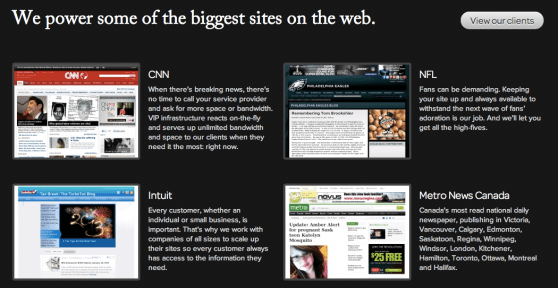
…or they work for the VIP sites
What’s so special about them?
- Their code scales! (Millions of pageviews? Bring it on!)
- Their code is secure (Hackers feel inadequate!)
- Their code is future-proof! (Always
trunk-ready!) - Their code is clean, readable, extensible, modularized, well-documented, etc.
- Their code will make you a sandwich, if you ask nicely enough.
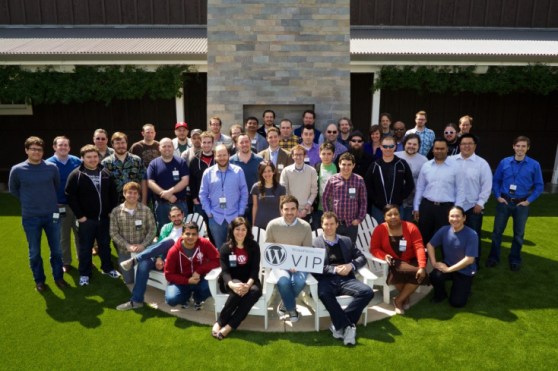
Most Importantly They’re Ruggedly Handsome!
The Key Question:
How does one become a VIP Developer?
(In the figurative sense)
Here’s the secret:
A VIP Developer is great at software development.
Qualities of a Great Software Developer
- Good Technical Aptitude
- Humble
- Open to feedback and improving on past mistakes
- Never stops learning
- Can break down, understand, and articulate problems
- Follows best practices and guidelines (and know when to break them)
- Can admit when they’re doing something wrong
Notice how I haven’t mentioned WordPress anywhere in the list?
Great Software Developers:
Understand and Follow good software development practices
- You don’t need to be a computer scientist
- Software design processes (e.g. Agile), patterns (e.g. Factories), principles (e.g. DRY)
- Think beyond the requirements
Notice how I still haven’t mentioned WordPress anywhere in the list?
Great Software Developers:
Are platform independant
- Expose yourself to non-WordPress-y things
- WordPress can power the Mars lander if we really want it to but that doesn’t mean we should.
- Explore other languages (beyond PHP)
- Explore libraries and other frameworks (beyond jQuery)
- Why? You can flex that muscle if a project comes up with that one odd requirement
- Or you can bring the thinking of other frameworks into your WordPress development
A VIP Developer’s Rules to Live By
The Most Important One:
Don’t make Mo mad!
(He will take away your commit access!)
Rule: Become a WordPress expert
- You don’t need to know everything
- But you do need to know the key components and how they interact with each other
- Example: what pieces of WordPress interact during any given pageload
- Helps with troubleshooting, debugging, feature development
Rule: Become Intimate with Code
- Spend more time with code than is healthy (have the Trac and SVN URLs bookmarked)
- Know what code lives where (or how to find it)
- Use great resources (e.g. Adam Brown’s Hook and Filter Database)
Rule: Follow core development
…or, better, contribute!
Rule: Never, ever modify WordPress core
Rule: Debug Often
And know what tools to use
define( 'WP_DEBUG', true );
Developer Plugin (http://wordpress.org/extend/plugins/developer/)
Rule: Don’t copy-pasta code without reviewing and understand what it does
Rule: Do things the “WordPress way”
- Use WordPress’ built-in APIs wherever possible
- If you need to access the database, use $wpdb
- Fetching Remote data, use the HTTP API, e.g. wp_remote_get
- http://codex.wordpress.org/WordPress_API’s
Rule: Always write secure code, even if it takes longer
Security should be a part of the development process, not an after-thought.
You eventually get to a point where all the code you write is inherently written with security in mind.
Rule: Follow the WordPress Coding Standards
Rule: Use source control
- Doesn’t matter what system (git, svn, mercurial)
- Think in terms of changesets and small commits
- Benefits: Instant backup, experimentation, disk space (.bk files), teams
Rule: Get your code reviewed often
…and use it as an opportunity to grow!
Rule: Give back to the community
Because it feels good! And it’s good for you too!
Rule: Know when to break the rules
Caveat:
Developing this takes alot of time, effort, willpower, determination, etc.

Thanks!
WordPress in the Newsroom (NASH)
This slideshow could not be started. Try refreshing the page or viewing it in another browser.
WordPress in the Newsroom
About me: Mohammad (Mo) Jangda
[email protected] | [email protected] | @mjangda
- Code Wrangler at WordPress.com VIP (Automattic)
- Core Contributor to WordPress
- Imprint (University of Waterloo) Alum
- NASH 2007
- Background in News, Publishing, Tech
- Ice Cream Fan
DISCLAIMER #1
A lot of the plugins I will talk about are mine or have significant contributions by me. Not because I’m being self-serving asshat but because these are some of the best tools for newsrooms to use.
DISCLAIMER #2
Tailor everything to your community and newsroom’s needs and culture; there is “no one size fits all” approach.
Scientific Fact of the Day!
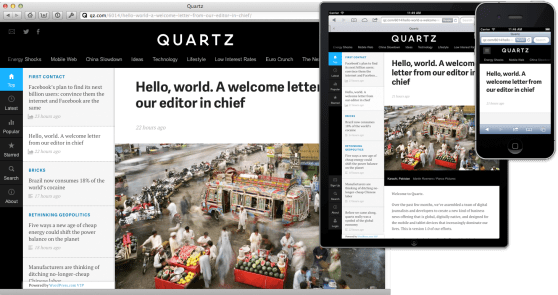
17.5% of the web uses WordPress
(New York Times, TIME, CNN, CBS Local, National Post, Quartz, Boing Boing, Mashable, etc.)

Unscientific Fact of the Day!
80% of Canadian University newspapers use WordPress to power their sites.
University of Toronto | thevarsity.ca
University of Waterloo | theimprint.ca
University of Western Ontario | westerngazette.ca
York University | excal.on.ca
University of Victoria | martlet.ca
Ryerson University | theeyeopener.com
Carleton University | charlatan.ca
Concordian University | theconcordian.com
University of British Columbia | ubyssey.ca
University of Ottawa | thefulcrum.ca
University of Manitoba | themanitoban.com
It’s hip to be WordPress
But do you really know and use WordPress?
Leveraging Structured Data
WordPress is a semantic publishing platform.
Custom Post Types
A custom post type is nothing more than a regular post with a different
MARKDOWN_HASH01b0357bbb461420eb0aced7e3c2fcb9MARKDOWN_HASHvalue in the database. The post type of regular posts is post, pages use page, attachments use attachment and so on. You can now create your own to indicate the type of content created. You could create custom post types for books, movies, reviews, products and so on.
— Smashing Magazine (http://wp.smashingmagazine.com)
Custom Taxonomies
WordPress’ custom taxonomies make it possible to structure large amounts of content in a logical, well-organized way. In WordPress, categories are set up as a hierarchal taxonomy, and tags are set up as a multifaceted taxonomy […] A large news organization could organize its content by world region (Africa, Asia, Europe, Latin America, Middle East, US & Canada), as the BBC does in its “World” section.
— Smashing Magazine (http://wp.smashingmagazine.com)
Post Metadata
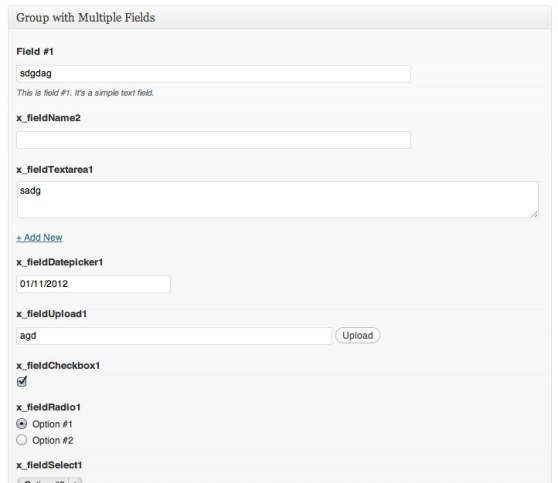
WordPress lets you add arbitrary metadata to posts. Movie Ratings. Pull quotes. Geolocation.
Leveraging Media
Easy Galleries. Easy Embeds.
HULK NOW A JOURNALIST FOR FREEDOM! HULK SMASH LIES!
— Journalist Hulk (@iiefhwpi23hdkwd) January 10, 2011
Leveraging Mobile
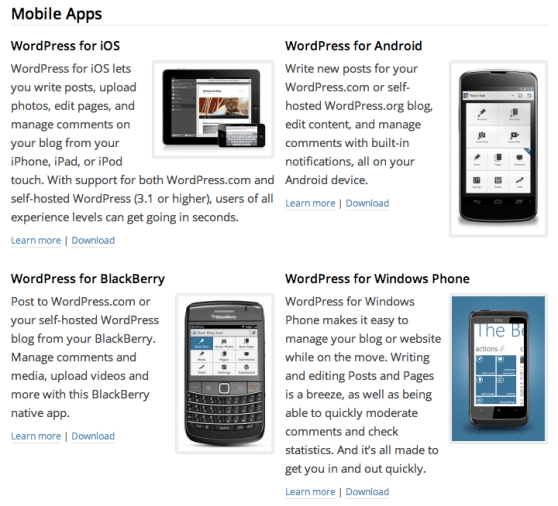
Make the mobile app a pre-requisite for all your editors and reporters.
Leveraging Real-time
Liveblogging. All the things.

Leveraging Social
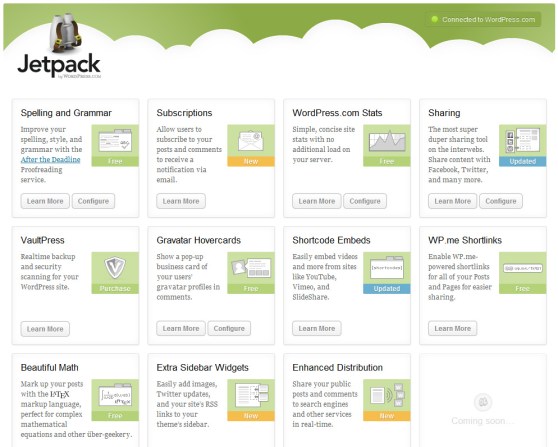
- Social Commenting
- Social Sharing
- Social Publishing
Leveraging a Web-first Workflow
WordPress is your central hub and content store.
Plugin: Edit Flow
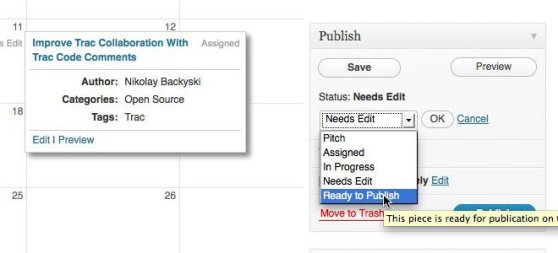
Edit Flow gives you custom statuses, a calendar, editorial comments, and more, all to make it much easier for your team to collaborate within WordPress.
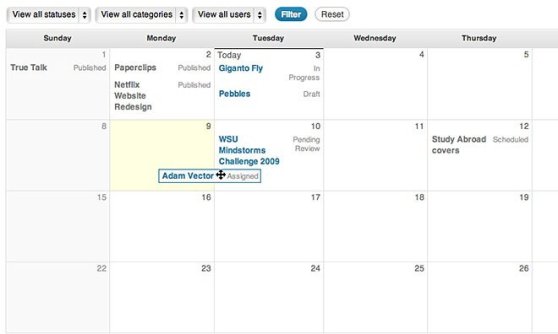
Edit Flow: Calendar
A convenient month-by-month look at your content
Edit Flow: Custom Statuses
Define the key stages to your workflow.
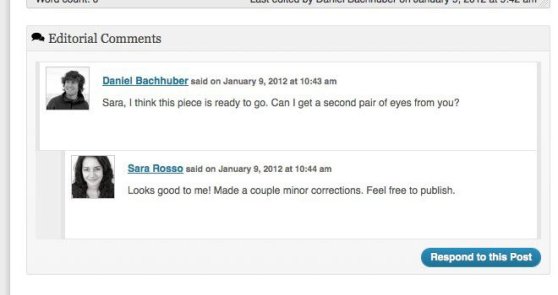
Edit Flow: Editorial Comments
Threaded commenting in the admin for private discussion between writers and editors
Edit Flow: Everything Else
- Notifications – Receive timely updates on the content you’re following.
- User Groups – Keep your users organized by department or function.
- Editorial Metadata – Keep track of the important details.
- Story Budget – View all of your upcoming posts in a more traditional story budget view, and hit the print button to take it to your planning meeting.
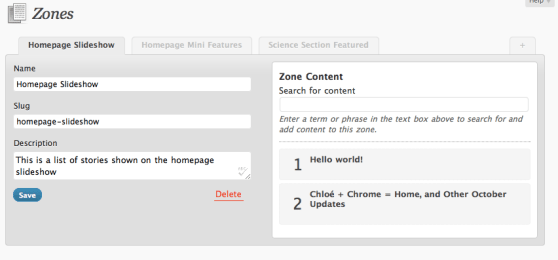
Plugin: Zoninator (Zone Manager)
Curation Made Easy.
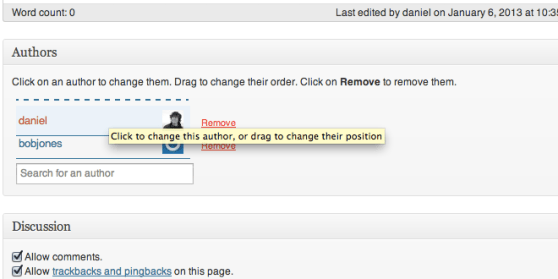
Plugin: Co-Authors Plus
Multiple bylines.
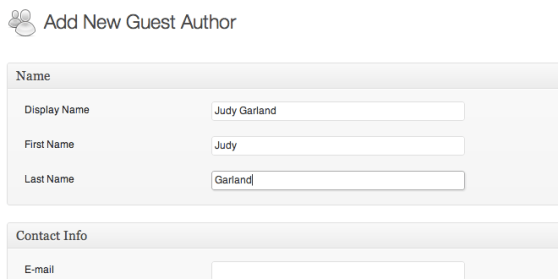
Plugin: Co-Authors Plus
“Guest” Authors.
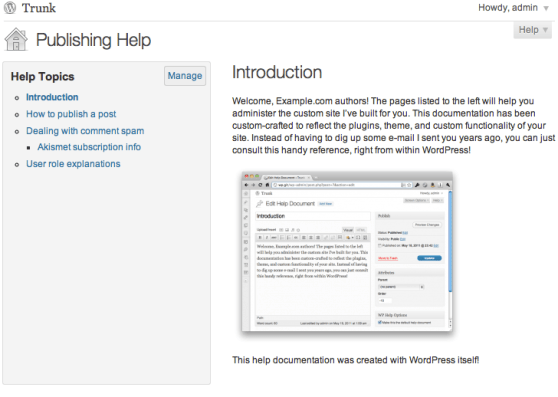
Plugin: WP-Help
Institutional Knowledge. Newsroom Continuity.
Lots and lots more
- Peter’s Collaboration Plugins (Notes + Emails)
- Editorial Calendar
- Winer Links
- Email Post Changes
- Post Forking
- Post Forking
- Project Largo
Iterate. Test. F#$% S#$% Up.
Think like a startup. Try new things. Share what you know/learn/build. Change the world.
Thanks!
[email protected] | [email protected] | @mjangda
Is your college paper on WP? Tweet us at #nash75wp!
Want free upgrades on WordPress.com? Come talk to me.

